Problem start while I try logmein.com access from Chrome.
Java plug in was block because of out-of-date,
Using Revo uninstall, taking out Java Web Starter. Java 2 Runtime Environment,
Java 6 update 14.....
Reinstall java 6 update 22 again, then working great.
http://answers.microsoft.com/en-us/windows/forum/windows_7-windows_programs/error-code-1722-when-java-was-trying-to-install-an/3fe421a7-2b36-4b29-b570-0eae7b65d5cb
http://www.java.com/en/download/help/error_1722.xml
http://www.java.com/en/download/uninstall.jsp
Showing posts with label repair. Show all posts
Showing posts with label repair. Show all posts
Qword search engine / Versalsoft internet download virus
Original problem: Internet Explorer is currently running with disabled add-ons.
manage add-ons” it’s showing that they are all enabled. And Yahoo Toolbar keeps disappearing no matter no many time its uninstall and reinstall.
Malwarebytes seems detecting Virus there and removed them accordingly.
And this Qword search engine keep default itself as main search engine.
Also Versalsoft internet downloader default itself as main downloader program.
Have combofix removed Qword regenerator, then regedit all of the qword / versalsoft reference out from registry, then system restore back to month ago point to totally remove this qword search.
manage add-ons” it’s showing that they are all enabled. And Yahoo Toolbar keeps disappearing no matter no many time its uninstall and reinstall.
Malwarebytes seems detecting Virus there and removed them accordingly.
And this Qword search engine keep default itself as main search engine.
Also Versalsoft internet downloader default itself as main downloader program.
Have combofix removed Qword regenerator, then regedit all of the qword / versalsoft reference out from registry, then system restore back to month ago point to totally remove this qword search.


.EXE program cannot run, asking for "open with" association?
As usual, I use malwarebytes and superantispyware to clean virus.
Not this time, it wont work,
so I appeal to another powerful yet dangerous Combofix.
That wont do this time, this combofix ask for "open with" request?
Had to copy this file to c:\, then using DOS command to run this.
Seems that the .exe file association in the registry is corrupt. Sircam virus family usually caused this problem.
Googled result:
Not this time, it wont work,
so I appeal to another powerful yet dangerous Combofix.
That wont do this time, this combofix ask for "open with" request?
Had to copy this file to c:\, then using DOS command to run this.
Seems that the .exe file association in the registry is corrupt. Sircam virus family usually caused this problem.
Googled result:
- Download exefix_xp.com utility and save to Desktop. Double-click the file to run it. This utility fixes the .exe file association in the registry automatically.
- Registry Editor:HKEY_CLASSES_ROOT \ exefile \ shell \ open \ command enter"%1" %* then HKEY_CLASSES_ROOT\.exe to exefile
- In case no exe can be executed, copy regedit.exe regedit.com
regedit.com - http://www.dougknox.com/xp/fileassoc/xp_exe_fix.zip
- REGEDIT.
HKEY_LOCAL_MACHINE/SOFTWARE/WINDOWS NT/CURRENTVERSION/WINLOGON
SHELL..: explorer.exe
Userinit...: C:\Windows\system32\userinit.exe,
Or Create a new user, copy program icon over from previous user
Delete the previous user.
Fake HDD Low/Smart Virus and empty program group
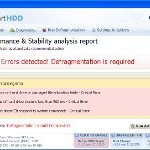
- disabled normal windows utility program (control panel, administrator tool, etc.....)
- blank out contents of HDD in windows explorer.
- pop up message
Solutions:

- install AVG suite, no go at all.
- F8- save mode with network login, download malwarebytes & superantispyware. Installed and run, detected Virus, restatrt windows, same virus warning pop up
- F8-save mode with network login, install hijackthis, remove bunth of suspected proggie, same results, its only deal with one user at a time, not clean virus in other user's folder.
- Using combofix in save mode, clean them all, and restart in normal windows, run malwarebytes and superantispyware to clean system.
- Now its clean, yet all program group are empty menu. Try several things with registry yields no avail.
- Unable to restore the system to earlier mode since program group is empty.
- start, run:
- Back to normal now
%systemroot%\system32\restore\rstrui.exe
iexplore.exe - Entry Point Not Found
This Xp is the original version without any Service pack applied yet. Since IE is no longer function, I cannot proceed to activate its SP upgrade at all, so download the FireFox 2 from other system than transfer into this system.
install firefox browser, googling for XP SP2 full download, apply SP2 onto XP.
install new IE7, this "Entry Point Not Found" no longer there.
The procedure entry point SHRegGetValueW could not be located in the dynamic link library SHLWAPI.DLL.this began after i had to repair-install Windows Xp (after Windows Xp would not load at start-up).
This Xp is the original version without any Service pack applied yet. Since IE is no longer function, I cannot proceed to activate its SP upgrade at all, so download the FireFox 2 from other system than transfer into this system.
install firefox browser, googling for XP SP2 full download, apply SP2 onto XP.
install new IE7, this "Entry Point Not Found" no longer there.
 Toshiba Satellite A135-S4527
Problem:
Hot tea were spilled over around keyboard area. It resulted to a dead notebook.
solution:
The first response that dealt with drinks spilled over electronic device(e.g laptop in this case) was to disengage the power device from this laptop.
So take out the battery units with power adaptor then waited till it dried out.
After drying out, we have to disassemble this units for further investigation.
check for this site for disassemble procedure

Follow steps outline there, Be careful on step 7, which is to take bezel out from laptop,also remember that "White cable - main, black cable - auxiliary" which is for the WLAN card connection

rest of the disassemble procedures are not too complicated.
Once we had all parts laying around, checking for shortage and/or spilled-over mark everywhere.
Moisture are definitely the killer for electronic device, so I warned you again.
To figure out why this unit don't come up the screen,
We need the MOBO, memory, External VGA monitor to test which unit cause problem?
power light indicate that MOBO's live, yet even external VGA show no picture.
Trace the line and clean the board, still show no picture, also the fan wont turn on.
Re-soldering on the MOBO part, which seems have certain burned marks, no avail.
Replacing memory(switch memory slot), no avail.
took one memory out, no avail.
use different memory, TA-DA........
Screen comes back.
Conclusion:
Waters spilled over onto laptop caused shortage happened on memory slot and then burned down the memory chip,
re-soldering on the MOBO and replace memory card solved problems.
The processing of fix or uninstall of "home and student" version of MS office is quite frustrating.
Uninstall this program, keep getting this error:
"Setup cannot continue because a required file is either corrupted or not available, Run setup again from the original source disc or download location"
Try the original CD disk, same error, redownload from internet, same result,

use the CD purchased from MS, still the same. or different. it just don't work at all.
 try the repair function of the MS office product, it did find problem and corrected it, yet we're still face the same problem.
While office 2007 installed, some registration key were inserted into registry, it has to be removed, according to certain thread,
so looking for string about *FF1ce*, and remove them if it is concerned about office installation(your own risk!!),
 After remove the registry key, removing MS office is OK reinstall
 Activate it


go to Microsoft site for SP1 upgrade package.

Done.
Uninstall this program, keep getting this error:
"Setup cannot continue because a required file is either corrupted or not available, Run setup again from the original source disc or download location"
Try the original CD disk, same error, redownload from internet, same result,
use the CD purchased from MS, still the same. or different. it just don't work at all.
While office 2007 installed, some registration key were inserted into registry, it has to be removed, according to certain thread,
so looking for string about *FF1ce*, and remove them if it is concerned about office installation(your own risk!!),
go to Microsoft site for SP1 upgrade package.
Done.
All Dell pre-built computer come with Norton Internet Security suite( or norton antivirus, or norton 360.... for 3 month free anti-virus subscription.
After free period expired, Norton will pop up request asking for your continuing support( it's time for you to pay monthly),, if you don't. then you have to patiently click away those annoying message everything, let along the possibility that Norton may unguarded those virus quarantined.
Since we had problem with office 2007 uninstalled, so we like to uninstalled this norton product first.
Open up Norton Protection center:

Before that, we would like yo first backup out system, make a restore point for current operation,

then applied those security upgrade available for MS Vista.

Another upgrades proceeding

Program uninstall, fully take out Norton Internet security set.

NIS reported a license problem, disable NIS service, reboot.

Now NIS is totally out.

After free period expired, Norton will pop up request asking for your continuing support( it's time for you to pay monthly),, if you don't. then you have to patiently click away those annoying message everything, let along the possibility that Norton may unguarded those virus quarantined.
Since we had problem with office 2007 uninstalled, so we like to uninstalled this norton product first.
Open up Norton Protection center:
Before that, we would like yo first backup out system, make a restore point for current operation,
then applied those security upgrade available for MS Vista.
Another upgrades proceeding
Program uninstall, fully take out Norton Internet security set.
NIS reported a license problem, disable NIS service, reboot.
Now NIS is totally out.
USB Stick memory format
This old style USB stick memory, 128 MB ram.
very much useless to try to recover it.
It is assigned to drive F:
I could not write to this drive F: at all. If I put it into my Canon powershot A40, errors say:
"CF card full", then "CF card error",
try using Xp and win98 formatter utility, it failed to format this device.
 Download this cardrecovery utility, it see the drive F fine, yet found no data to recover, so stop the process at step 3.

HP usb format utility is known to solve this kind of problem, but HP doesn't seem to support this utility anymore.
I used to have this program, after length search, got this hp prog, it still failed. Download here


another program called "MSFMTINST210.EXE" from Sony might solve the problem, no found yet.
"X-Format-Setup-series3000.exe" this also seem no where to find .
another thread mentioned how to deal with santa cruzer CF card by working on registry database:
HKEY_LOCAL_MACHINEEnumUSBVID_0781&PID_7101
HKEY_LOCAL_MACHINESYSTEMCurrentControlSetControlASDProb{9B4E7760 -3196-11CF...}
Delete the USBVID_0781&PID_7101 on the right hand side
HKEY_LOCAL_MACHINESYSTEMCurrentControlSetControlASDProb{CF2524C0 -29AE-11CF...}
Delete the USBVID_0781&PID_7101 on the right hand side
HKEY_LOCAL_MACHINESYSTEMCurrentControlSetControlDeviceClasses{a5d cbf10-6530-11d2...}
Delete the DeviceInstance USBVID_0781&PID_7101 on the right hand side
this does not work for me either, so the recovery of this 128 mb CF card failed now.
very much useless to try to recover it.
It is assigned to drive F:
I could not write to this drive F: at all. If I put it into my Canon powershot A40, errors say:
"CF card full", then "CF card error",
try using Xp and win98 formatter utility, it failed to format this device.
HP usb format utility is known to solve this kind of problem, but HP doesn't seem to support this utility anymore.
I used to have this program, after length search, got this hp prog, it still failed. Download here
another program called "MSFMTINST210.EXE" from Sony might solve the problem, no found yet.
"X-Format-Setup-series3000.exe" this also seem no where to find .
another thread mentioned how to deal with santa cruzer CF card by working on registry database:
HKEY_LOCAL_MACHINEEnumUSBVID_0781&PID_7101
HKEY_LOCAL_MACHINESYSTEMCurrentControlSetControlASDProb{9B4E7760 -3196-11CF...}
Delete the USBVID_0781&PID_7101 on the right hand side
HKEY_LOCAL_MACHINESYSTEMCurrentControlSetControlASDProb{CF2524C0 -29AE-11CF...}
Delete the USBVID_0781&PID_7101 on the right hand side
HKEY_LOCAL_MACHINESYSTEMCurrentControlSetControlDeviceClasses{a5d cbf10-6530-11d2...}
Delete the DeviceInstance USBVID_0781&PID_7101 on the right hand side
this does not work for me either, so the recovery of this 128 mb CF card failed now.
laptop: Dell Vostro 1700
Bluetooth mouse not working
1. check BT mouse's battery fine, turn mouse upside down, click on/off switch on, red light indicates that mouse is turned on.
2 in the back of the mouse, hold on to bluetooth button(as the name implied, blue button), you may find that upside of the mouse,blue light flashed, that is to say, this device is looking for the host(computer) receptor. so let's go back to the computer side.
3.Rerun the BT Mouse setup program from the CD disk. Dell BT mouse is actually rebrand from Logitec, Installation info about attach USB port mouse is somewhat confused.
 4. click on F1-help, foloow the instruction as provided yet found no icon for Device Connection Status.

5, Run device manager, click on Bluetooth device
 6. use add bluetooth wizard to detect BT mouse.

7. Only find Bluetooth Earphone set only.

8.Noticed that mouse's was already turned off the discovery blue light, so press on that blue button again, evoke discovery processing of bluetooth function. now it is Found and working great. The passkey is to insure no security break-in, Here we choose "don't use passkey" for now.


Bluetooth mouse not working
1. check BT mouse's battery fine, turn mouse upside down, click on/off switch on, red light indicates that mouse is turned on.
2 in the back of the mouse, hold on to bluetooth button(as the name implied, blue button), you may find that upside of the mouse,blue light flashed, that is to say, this device is looking for the host(computer) receptor. so let's go back to the computer side.
3.Rerun the BT Mouse setup program from the CD disk. Dell BT mouse is actually rebrand from Logitec, Installation info about attach USB port mouse is somewhat confused.
5, Run device manager, click on Bluetooth device
8.Noticed that mouse's was already turned off the discovery blue light, so press on that blue button again, evoke discovery processing of bluetooth function. now it is Found and working great. The passkey is to insure no security break-in, Here we choose "don't use passkey" for now.
Computer: Gateway Pentium P4 system, 512 MB RAM, 80 GB HDD.System:Windows 2000 Pro SP4, Office XP...This machine is a standalone machine, not connected to a network, nor is it a member of a domain, nor active directory installed.
Symptoms:
Boot up fail, system comes up with a black out screen. Boot up with Tech cd and found out there's residues of virus left over, totally reinstalled without reformatting HDD, and clean this computer from the virus code out, since then different problems comes up:
2nd problem:
It is reported after windows 2000 re-installation that EZcd creator do not recognize the Liteon CDRW driver.
CD-RW's been recognized in system's bios. also from the device manager listing

We totally uninstall the EZ cdcreator, and follow the instruction of cdcreator, then perform the necessary upgrade follows the Roxio's web site direction.

2 of the files needed to upgrade from 5.1 to 5.3

before finish the installation, EzCD pop up an error message:
Follow another thread about CD-rw recognition, we download roxizap
Use this prog to clean up EZcdcreator out from the system.

Restart the whole installation procedure of EZcdcreator, also upgrade for new packs and driver,
CDRW works fine, no need to upgrade newer version of Roxio cdcreator (version 10).
If the cd recordable disk presented inside the CDRW and also been formatted with DIRECTCD, through the CD drive properties, it will display the driver in use by "Roxio DirectCD Kernel", eject this DirectCD disk, insert New disk, You are ready for cd writing ......

Symptoms:
Boot up fail, system comes up with a black out screen. Boot up with Tech cd and found out there's residues of virus left over, totally reinstalled without reformatting HDD, and clean this computer from the virus code out, since then different problems comes up:
2nd problem:
It is reported after windows 2000 re-installation that EZcd creator do not recognize the Liteon CDRW driver.
CD-RW's been recognized in system's bios. also from the device manager listing

We totally uninstall the EZ cdcreator, and follow the instruction of cdcreator, then perform the necessary upgrade follows the Roxio's web site direction.

2 of the files needed to upgrade from 5.1 to 5.3

before finish the installation, EzCD pop up an error message:
Follow another thread about CD-rw recognition, we download roxizap
Use this prog to clean up EZcdcreator out from the system.

Restart the whole installation procedure of EZcdcreator, also upgrade for new packs and driver,
CDRW works fine, no need to upgrade newer version of Roxio cdcreator (version 10).
If the cd recordable disk presented inside the CDRW and also been formatted with DIRECTCD, through the CD drive properties, it will display the driver in use by "Roxio DirectCD Kernel", eject this DirectCD disk, insert New disk, You are ready for cd writing ......

"An error occurred attempting to create the Object Picker. An error with no description has occurred."
Computer: Gateway Pentium P4 system, 512 MB RAM, 80 GB HDD.
System:Windows 2000 Pro SP4, Office XP...This machine is a standalone machine, not connected to a network, nor is it a member of a domain, nor active directory installed.
Symptoms:
Boot up fail, system comes up with a black out screen. Booy up with TEch cd and found out there's residues of virus left over, totally reinstalled without reformatting HDD, and clean this computer from the virus code out, since then differnt problems comes up:
first problem:
Get Administrator to be able to designate users(power users or administrator) into appropriate groups? Whenever adding a user to any of the local groups, the following message: "An error occurred attempting to create the Object Picker. An error with no description has occurred." pop up.

 Old users account dont show up
System:Windows 2000 Pro SP4, Office XP...This machine is a standalone machine, not connected to a network, nor is it a member of a domain, nor active directory installed.
Symptoms:
Boot up fail, system comes up with a black out screen. Booy up with TEch cd and found out there's residues of virus left over, totally reinstalled without reformatting HDD, and clean this computer from the virus code out, since then differnt problems comes up:
first problem:
Get Administrator to be able to designate users(power users or administrator) into appropriate groups? Whenever adding a user to any of the local groups, the following message: "An error occurred attempting to create the Object Picker. An error with no description has occurred." pop up.

Trying to edit user permissions within administration (under Computer Management) When editing users in an attempt to make an existing user a member of a new group, I get the same error:(this error appears as soon as I click the Add button!).
I found out that I am unable to display the user selection dialog. (null)


click on users and password:

 Old users account dont show up
Click on advanced tab, the old user accounts appeared,

yet add old account to administrator group, failed again.
Delete this old account dont work either.


Several suggestions for correcting this error:
-
Remote Registry Service started and set to automatic.
-
less than 15 ips bound to the NIC.
-
registry key HKEY_CLASSES_ROOTLDAPClsid presented and correct.
checked admin shares
replaced riched32.dll
- Change HKEY_LOCAL_MACHINESystemCurrentControlSetServicesLanmanServerParameters AutoShareServer and AutoShareWks registry values to 1.
IE7 popup blcoker
The problem that certain web site doesn't seem to function is that Pop-up blocker embedded with IE7. For security reason, your computer will block you out from log into that site without your permission.
This feature come with IE7, the Pop-up Blocker is automatically enabled IE7 so most pop-ups should be blocked out.
To change the settings of the Pop-up Blocker within IE7:
clicking Tools, Pop-Up Blocker, Pop-up Blocker Settings, then configure IE to allow pop-ups from the Web sites then clicking Add.
There's also Notification and Filter Level, you can configure Internet Explorer to play a sound and show the Information bar when a pop-up is blocked. So it will be less confused next time if you felt that IE7 silently shut you off from certain web site.
If you like to block out certain web site out from your computer, check here
Subscribe to:
Posts (Atom)